1
>Help File and Sample Problem Format Improved.
A number of omissions and clarifications have been made to the HELP file. The standard format
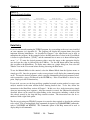
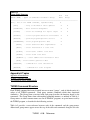
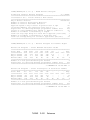
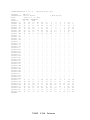
of a TEAPAC sample data file has also been changed slightly. Typing FILE TURNS followed
by LOAD will echo the input data to the screen, then pause at a prompt, →. At this point the
data can be inspected and modified at will. Another LOAD will begin sample calculations for
the current data values. Use of Ctrl-P will copy these calculations to the printer.
>Minor Enhancements Included.
Attempting to run another program via the STOP command generates a clearer error message
notifying the user that this is not an enabled function under MS-DOS. An unimplemented
USERMODEL now also generates a more clear message to that effect. Finally, the initial
messages displayed within the first 60 days of their existence do a clear screen first for easier
readability. This, like the initial copyright notice, uses the ANSI sequences which require the use
of ANSI.SYS or an equivalent in CONFIG.SYS.
:TURNS V2 L5.2 10NOV87
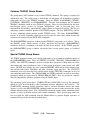
>Improved Greeting Screen; Messages Displayed for 60 Days.
The screen that greets you when you first run the program has been reorganized and enhanced.
The program now clears the screen and prints the program's name, version and level, and
copyright information at the top. Below this is a brief discussion of some of the important
concepts of running the program. The whole greeting screen is enclosed in boxes formed with
the IBM extended-ASCII character set.
In addition to the above, the program will now display a summary of all changes included in the
current version of the program for a period of 60 days after the version date of the program. This
can be reproduced at any time while running the program by executing the MESSAGES
command with a parameter of 1. And, of course, details about these and past changes can also be
displayed with the MESSAGES command using a parameter of 2 or 3.
>Sub-directories in PATH Command Now Searched for Support and Data Files.
The MS-DOS PATH command searches a set of specified sub-directories for a program to run if
it cannot find the program in the current logged sub-directory. However, it will not search for
support files or data files. A new TEAPAC feature is the ability to search all sub-directories
specified in the PATH command for support files and data files. This feature is supported only
in DOS 3.x, however. It is compatible with the DOS APPEND program.
>Data File Format Changed.
TURNS
H-312
Reference