1
Chapter 2
A ‘Hello, World’ Example
This chapter assumes that you have installed the RTI Connext Core Libraries and Utilities and configured your environment correctly. If you have not done so, please follow the steps in the RTI
Core Libraries and Utilities Getting Started Guide, specifically Chapter 2 “Installing RTI Connext”
and Section 3.1 “Building and running Hello World” in Chapter 3. The guide is part of your distribution; you can also find it online at http://community.rti.com/content/page/documentation. The guide will assist you in the correct setting of both your environment variable
NDDSHOME and, depending on your architecture, the environment variable PATH (on Windows Systems), LD_LIBRARY_PATH (on Linux systems), or DYLD_LIBRARY_PATH (on
MacOS Systems).
2.1
Hello World using XML and Dynamic Data
The files for this example are located in the directory <installation directory>/example/CPP/
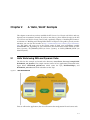
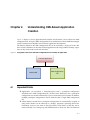
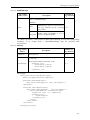
HelloWorld_xml_dynamic. This simple scenario consists of two applications, illustrated in the
figure below: HelloWorld_publisher.exe which writes the Topic, HelloWorldTopic, and
HelloWorld_subscriber.exe which subscribes to that Topic.
Figure 2.1
Hello World Domain
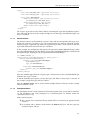
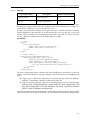
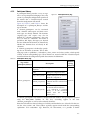
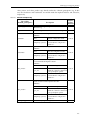
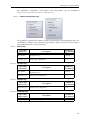
First we will run the application, then we will examine the configuration file and source code.
2-1