1
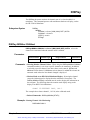
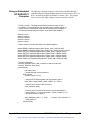
Example Entering Channel 4 Measurement Data.
This command enters the minimum, default, and maximum measured values
channel 4 output during an electronic adjustment procedure.
CAL4:CURR -0.02359, 0.00012, +0.02405
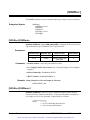
CALibrationn:STATe
CALibrationn:STATe <mode> enables or disables the calibrated mode for a
specific channel.
Parameters
Parameter Name
Parameter Type
Range of Values
Default Values
CALibrationn
keyword
1, 2, 3, or 4
1
<mode>
boolean
0 | 1 | ON | OFF
1 | ON
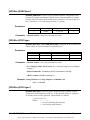
Comments • Channel Number: Select only one channel at a time.
• Related Commands: CALibrationn:CURRent, CALibrationn:VOLTage,
[SOURce:]VOLTagen, [SOURce:]CURRentn
• *RST Condition: CALibration:STATe 1
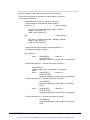
Example Setting Channel 3 to Non-Calibrated Mode.
CAL3:STAT OFF
Set channel 3 mode to non-calibrated output.
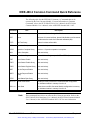
CALibrationn:STATe?
CALibrationn:STATe? queries a specific channel about the currently selected
mode of operation. 1 (one) indicates operating under calibrated mode, and 0 (zero)
indicates operating under non-calibrated mode.
Chapter 5
HP E1328A Command Reference
Artisan Technology Group - Quality Instrumentation ... Guaranteed | (888) 88-SOURCE | www.artisantg.com
43