1
User Manual
6
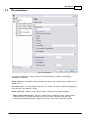
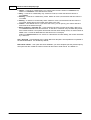
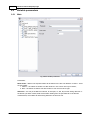
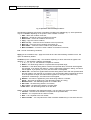
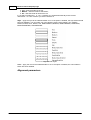
Fig. 4. Operations w ith variables
Below you can see what you can do with the list. Some operations may be unavailable depending on
the position of the variable in the list.
Select... - open the window for entering the variable. You can manually enter the variable name in
the variable selection dialog box or you can select an already existing variable from the srop-down
list.
Attention: If you specify the name of a variable the parser does not send to the data export module,
this variable will not be exported;
Add... - add one or several variables. You will see variables specified in the parser in the new dialog
box. The selection list will not contain variables that are defined in the data filter modules or received
from another configuration. You can specify the name of the variable manually in this case;
Remove - remove the selected variables. Before removing them, you need to select one or several
variables. Otherwise this operation will be unavailable;
Select All – select all variables in the list. If he list is empty, the command will be unavailable;
Clear All – clear the selection of all variables in the list. If he list is empty, the command will be
unavailable;
Invert Selection – invert the selection of all variables in the list. If he list is empty, the command
will be unavailable;
Move To Top – move the current variable to the top of the list;
Move Up – move the current variable one position up;
Move Down – move the current variable one position down;
Move To Bottom – move the current variable to the bottom of the list;
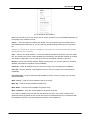
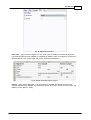
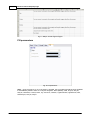
If you select a variable in the tree and click the right mouse button, you will see a similar menu.
Operations will be applied to the tree in this case and synchronized with the list. All operations with
the variable list are also synchronized with the contents of the variable tree.
©2006-2010 AGG Software