1
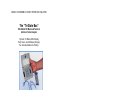
MODEL 700 MODEM & POCKET INTERFACE ANALYZER
Test Results
(1) RTS and CTS indicators are green.
(2) The modem is transmitting carrier.
(3) The modem will transmit a Mark when switch #2 is
programmed OFF (open circuit) and will transmit a Space
when switch #2 is programmed ON.
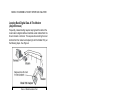
Monitoring the EIA-CCITT Interface At Tech Control
Center
Tech control center switch, patch, and monitor modules often have
a monitor port on their front panel. That access point may be
patched directly into either connector of the Model 700 to allow
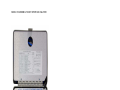
monitoring the status of all interface signals.
Test Procedure
(1) Use patch panel monitor connector to EIA connector
adapter cable and patch directly from tech control module
to Model 700.
(2) Program all Model 700 switches to On.
Test Results
(1) All interface signals will be monitored and signal status
displayed on the tri-state LED’s.
SPECIFICATIONS
Input Signal:
+ 25 volts per EIA RS-232
More positive than +2.5 volt for green indication
More negative than -2.5 volt for red indication
Input Impedance:
Greater than 30 K ohms
Environment:
Operation Temperature: 00C to 500C
Storage Temperature: -400C to 900C
Humidity: 10% to 90% without condensation
Electro Standards laboratories, Inc.
www.electrostandards.com
- pg 20 -
(401) 943-1164
Pub. 2902-03