1
Appendix I - Customizer-Related Software Changes
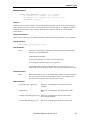
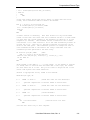
CALL vw.add.to.class (ve.tst.class,...
to the end of your definition routine using the new syntax.
• Previously, if you wanted a record type to be included in the Vision Tool class, you had to use
the vw.add.to.class( ) routine. This is now done automatically when the def[vw.td.vtool]
element is TRUE. This means you can eliminate the CALL to vw.add.to.class( ) located at the
bottom of the record type definition routines.
NOTE: This CALL does not have to be eliminated. It will simply be a
harmless redundancy that may increase your application’s start-up time.
(This may become obsolete in the future.)
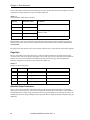
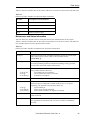
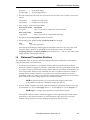
• In the vw.typ.def[,] array, a previously unused element is now being used. There also is a
new name for the index variable. The old index variable was vw.td.id and was marked as
“unused” in the public record-type definition routines. The new index variable is vw.td.flags
and the element is now used for various bit flags. The only bit flag currently defined is
vw.flg.clean. When this new bit is set, it signifies that the execution graphics do not contain
results-dependent items. Consequently, this means that when a shape tool is clicked on to
drag, it does not have to fully execute the tool to erase it before going to dry.run mode for the
drag. This will erase “Reference frame” and other graphics. (The Window and Image
Processing records use this feature.)
• A record type may now have optional source records. This is specified by giving the “class”
for that source as –1 times the normal value when filling in the src.classes[,] array in the
definition routine. For instance, if a custom record type specified one or more (up to eight)
Frame class records for averaging, sources 2 through 8 would have “–ve.frm.class” and
source 1 would have class “ve.frm.class”. Of course, this means that if any of these are
missing at link time, there will be no errors.
• If a record type has a shape (or is a vision tool), the reference frame record or the first source
must be present. This is necessary for determining the “reference picture” of the shape tool’s
or vision tool’s coordinate frame. This feature allows the new Conditional Frame record type
to be useful when just the reference frame is specified without inspections.
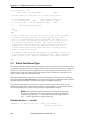
Installing Custom Record Types
• Previously, when installing a custom record type, you had to add code to several public files
and modify several existing “new record” menu pages. Now, you simply need to name some
routines and files in a certain way, and add a new record to one of the .INI database files that
executes during startup. Inclusion of the record type in the appropriate “new record”
selection pages is automatic. Additionally, you can load or unload the record type using a
check-box. See the section “Installation” on page 52 for more details.
I.3
Data Logging
This information is for customizers who have written custom routines that work with the data
logging (for example, a special format output routine such as qc.trans.stats( ) in the public file
QCLOG.V2).
• The automatic data-logging feature has been updated to work with multiple vision tasks. In
the Log Results pop-up, you now specify the destination (serial line or file name) for each of
the vision tasks you are using. (There is only one vision task per system.)
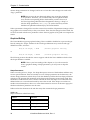
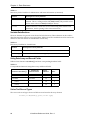
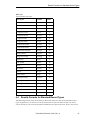
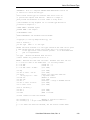
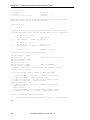
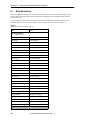
• To handle this, the following logging-related variables are now arrays, indexed on “TASK( )”
(the vision task):
280
VisionWare Reference Guide, Rev. A