1
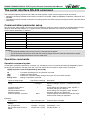
DDU6871/DW6851/DX6831 DLP Projector Remote Communication Manual
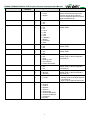
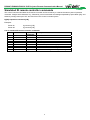
Reset camera to center position
lens.center
Caution:
When controlling the projector to execute multiple commands, make sure the return message of the last command is
received before sending out the next one.
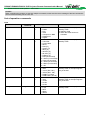
List of operation commands
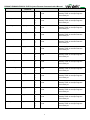
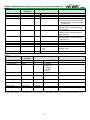
Input
OSD function
Input Select
Test Pattern
Color Space
Input Lock
Background
Operation
command
input.sel
pattern
color.space
input.lock
no.signal
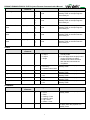
Settings/return values
?
=
?
=
?
=
?
=
?
=
0 = HDMI
1 = DVI
2 = VGA
3 = Component / BNC
4 = DisplayPort
5 = Digital
0 = Color Bar
1 = Cross Hatch
2 = Burst
3 = Red (TI)
4 = Green (TI)
5 = Blue (TI)
6 = WHITE (TI)
7 = BLACK (TI)
8 = HRamp (TI)
9 = Red (uncorrected)
10 = Green (uncorrected)
11 = Blue (uncorrected)
12 = White (uncorrected)
13 = Black (uncorrected)
14 = Off
0 = Auto
1 = YcbCr (Rec. 601)
2 = YPbPr (Rec. 709)
3 = RGB-PC (0-255)
4 = RGB-Video (16-235)
0 = Auto
1 = 48 Hz
2 = 50 Hz
3 = 60 Hz
0 = Logo
1 = Blue
2 = Black
3 = White
3
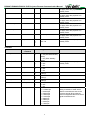
Note
Do not apply when the project is in
standby mode
a. Standby mode
b. When the blank function is
activated
Do not apply when the project is in
standby mode
Do not apply when the project is in
standby mode or the input signal is
not yet locked.
Do not apply when the project is in
standby mode or the input signal is
not yet locked.
Do not apply when the project is in
standby mode