1
S1100_GS-SP.book Page 4 Thursday, September 16, 2010 11:45 AM
■ Installation
1.
2.
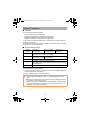
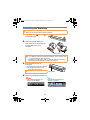
Turn on the computer and log on as a user with Administrator
privileges.
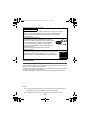
Insert the Setup DVD-ROM into the DVD-ROM drive.
D The [ScanSnap Setup] dialog box appears.
If the [ScanSnap Setup] dialog box does not appear, double-click
"ScanSnap.exe" in the DVD-ROM via Windows Explorer.
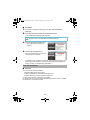
3.
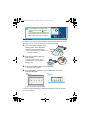
Click the [Install Products] button.
4.
Click the [ScanSnap] button.
D The [Install Products] dialog box
appears.
Follow the instructions on the screen to
continue with the installation.
If installation is not completed successfully, click the [Manuals] button in the
[ScanSnap Setup] dialog box, and then the [Troubleshooting (installation)]
button, and refer to Troubleshooting (installation).
Mac OS Installation
■ Software
You can install the following software:
z
z
z
ScanSnap Manager (Scanner driver)
ABBYY FineReader for ScanSnap (OCR application)
Cardiris (Business card text-recognition application)
To use Evernote for Mac, it should also be installed.
For details about each software and its installation procedures, refer to "Installing
the Software" in the Operator's Guide.
4






![[Scan] button on the ScanSnap.](http://vs1.manualzilla.com/store/data/005658366_1-513fc66afaf683e0c3b25d8948918383-150x150.png)