1
VQT0V86ENG.book
26 ページ 2006年1月30日 月曜日 午前9時46分
Basic
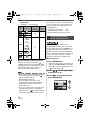
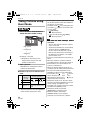
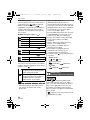
• Burst speed (P44):
Low speed (2 frames/second)
• [W.BALANCE] (P63):
[AUTO]
• [SENSITIVITY] (P64):
[AUTO]
• [ASPECT RATIO]/[PICT.SIZE]/[QUALITY]
(P65):
–[
ENLARGE]:
/
(6M)/Fine
–[
4qk6q/10k15cm]:
/
(2.5M EZ)/Standard
–[
E-MAIL]:
/
(0.3M EZ)/Standard
• [AF MODE] (P67):
[
] (1-area-focusing)
• [AF ASSIST LAMP] (P68):
[ON]
• [SLOW SHUTTER] (P68):
[1/8 – ]
• You cannot use the following functions in
simple mode.
– High angle mode
– White balance fine adjustment
– Exposure compensation
– Auto bracket
– [AUDIO REC.]
– [D.ZOOM]
– [COL.EFFECT]
– [PICT.ADJ.]
26
VQT0V86
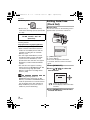
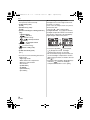
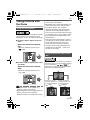
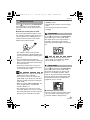
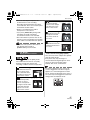
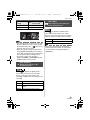
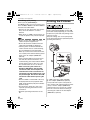
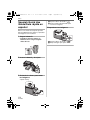
∫ The Backlight Compensation
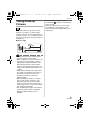
Backlight refers to when light comes from
the back of a subject.
In this case, the subject, such as a person,
will become dark.
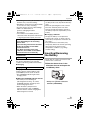
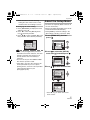
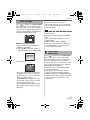
If you press 3, [
] (compensating
backlight ON indication) A appears and the
backlight compensation function is activated.
This function compensates the backlight by
brightening the whole of the picture.
3
BACKLIGHT
3
BACKLIGHT
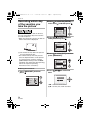
• If you press 3 while [
] is displayed,
[
] disappears and the backlight
compensation function is canceled.
• We recommend using the flash when you
use the backlight compensation function.
(When using the flash, it is fixed to Forced
ON [ ].)
• The flash setting is fixed to AUTO/Red-eye
reduction [
] when the backlight
compensation function is set to [OFF].