1
Chapter 2
New Features in LabVIEW 5.1
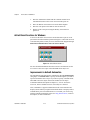
platform. The Dialog Recessed Frame control behaves like other
decoration objects found in the Decorations palette. You can use it as a
grouping border to put around other dialog controls.
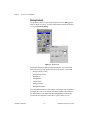
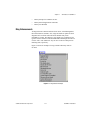
3D Graph Controls for Windows
LabVIEW 5.1 adds a new way to represent data on your front panel:
the 3D graph. The LabVIEW 3D graph uses ActiveX technology and new
VIs that handle three-dimensional representation. You can set parameters
for the 3D graphs VIs to change behavior at runtime, including setting
basic, axes, grid, and projection properties.
For more detailed information about the 3D graphs VIs see the 3D Graphs
VIs topic in the LabVIEW Online Reference.
You can find examples of the 3D graphs VIs in the
Examples\General\graphs\3dgraph.llb directory.
Note
The 3D Graph controls are available for Windows only in the LabVIEW Full
Development System and Professional Development System.
Enhancements to Property and Invoke Nodes
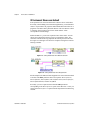
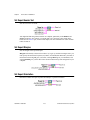
With LabVIEW 5.1, VI Server and Application Class property and invoke
nodes do not always need a wired refnum input or output. This makes it
easier to program many common VI Server functions because you can drop
fewer diagram objects.
If you do not wire inputs or outputs, LabVIEW uses default values. The
default input value for the Application Class is your local LabVIEW. The
default value for the Virtual Instrument Class is your current VI—the VI
in which you have placed the property or invoke node.
Improvements to VI Server Properties in Reserved VIs and
Runtime Systems
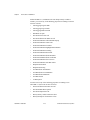
In LabVIEW 5.1, the VI Server has been enhanced so you can set many
more properties while a VI is running or in run-time versions. These
properties are listed below. Also, the LabVIEW Help Window now
includes thorough explanations for each Virtual Instrument Class property
and any limitations they might have. Choose Help»Show Help to open the
Help Window. You can move your cursor over the property portion of any
Virtual Instrument Class property node, and documentation for that
property appears in the Help Window.
© National Instruments Corporation
2-9
LabVIEW 5.1 Addendum