1
49
Description
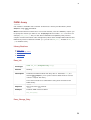
Prints character on LCD at specified row and column (parameter row and col). Both variables
and literals can be passed as character.
Requires
Ports with LCD must be initialized. See Lcd8_Config or Lcd8_Init.
Example
Print “i” on LCD at line 2, char 3:
Lcd8_Out(2, 3, 'i');
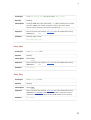
Lcd8_Chr_Cp
Prototype
void Lcd8_Chr_Cp(char character);
Returns
Nothing.
Description
Prints character on LCD at current cursor position. Both variables and literals can be passed
as character.
Requires
Ports with LCD must be initialized. See Lcd8_Config or Lcd8_Init.
Example
Print “e” at current cursor position:
Lcd8_Chr_Cp('e');
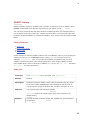
Lcd8_Cmd
Prototype
void Lcd8_Cmd(unsigned short command);
Returns
Nothing.
Description
Sends command to LCD. You can pass one of the predefined constants to the function. The
complete list of available commands is below.
Requires
Ports with LCD must be initialized. See Lcd8_Config or Lcd8_Init.
Example
Clear LCD display:
Lcd8_Cmd(Lcd_Clear);
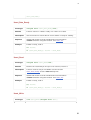
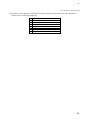
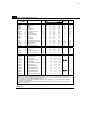
Available LCD Commands
LCD Command
Purpose
LCD_FIRST_ROW
Move cursor to 1st row
LCD_SECOND_ROW
Move cursor to 2nd row
LCD_THIRD_ROW
Move cursor to 3rd row
LCD_FOURTH_ROW
Move cursor to 4th row
LCD_CLEAR
Clear display
LCD_RETURN_HOME
Return cursor to home position, returns a shifted display to original position. Display data RAM is
unaffected.
49