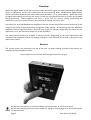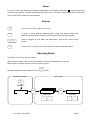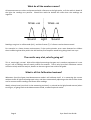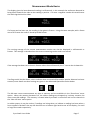
1
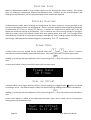
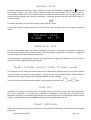
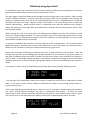
Display Size When in Measurement Mode a large number display can be activated for easier reading. This simply gives the reading in milliseconds without the additional data. However all the normal statistics and readings are still stored it’s just an alternate display mode should it be required. Display Average In Measurement mode, whilst readings are being stored for future analysis a running average of the current measurement session can be displayed. There is a choice between the average being displayed in milliseconds (M/Sec) or frames (Frames). If frames are chosen but no frame rate is set, the display will show the average in milliseconds. This is handy to see if this running average is starting to head up or down, which can indicate a small delay error getting worse over time. The average can be calculated over hundreds of consecutive readings, although any ‘false’ readings will be included within the average. Millisecond and frame averages are indicated by A or AF respectively. Frame Rate ↑ ↓ A video frame rate per second can be entered using the and keys, which is used to calculate the millisecond delay measured into frames. Any frame rate from 1 to 99 can be entered. Menu Holding an arrow key will step up/down in 10’s and pressing the zero. In the screen below, a frame rate of 30 Frames/Sec has been input. key will quickly reset the value to Frame Rate 30 F/Sec User ms Offset A manual offset can be input, when an offset is set the readings are tagged with a symbol to indicate he setting is active. The offset entered is taken into account during readings and statistics calculations. Menu Holding an arrow key will step up/down in 10’s and pressing the key will quickly reset the value to zero. In the screen below, an offset of 45 milliseconds has been input, with a frame rate of 25 frames/sec having previously already been set. User ms Offset F +45ms 1.12 @ 25 Page 12 Sync-‐One2 User Guide