1
CHAPTER
TEN
VIEWS AND EVENTS
10.1 Introduction to Views
As all data of the program is stored in objects, as explained in the Objects section, how are these objects exposed to
the user ? We will try to answer this question in this section.
First of all, let’s note that every resource type uses its own interface. For example, the screen to modify a partner’s
data is not the same as the one to modify an invoice.
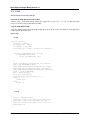
Then, you have to know that the Open ERP user interface is dynamic, it means that it is not described “statically” by
some code, but dynamically built from XML descriptions of the client screens.
From now on, we will call these screen descriptions views.
A notable characteristic of these views is that they can be edited at any moment (even during the program execution).
After a modification to a displayed view has occurred, you simply need to close the tab corresponding to that ‘view’
and re-open it for the changes to appear.
10.1.1 Views principles
Views describe how each object (type of resource) is displayed. More precisely, for each object, we can define one (or
several) view(s) to describe which fields should be drawn and how.
There are two types of views:
1. form views
2. tree views
Note: Since Open ERP 4.1, form views can also contain graphs.
10.2 Form views
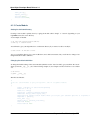
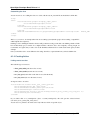
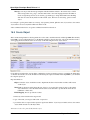
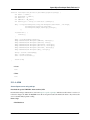
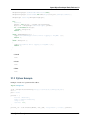
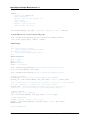
The field disposition in a form view always follows the same principle. Fields are distributed on the screen following
the rules below:
• By default, each field is preceded by a label, with its name.
• Fields are placed on the screen from left to right, and from top to bottom, according to the order in which they
are declared in the view.
87