1
SK32303 ver. B0
User’s Manual
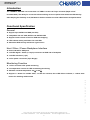
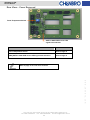
Fan & Temperature Switch
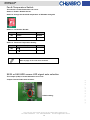
This switch is located behind the rear cover.
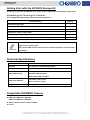
Switch 1: Enable / Disable the fan.
Switch 2: Change the threshold temperature of SK32303 storage kit
Switch 1: Fan Enable / Disable
1
Fan
Remark
ON
Enable
Default
OFF
Disable
Switch 2: Threshold Temperature Setting
2
Threshold Temperature
ON
65 ℃
OFF
55 ℃
Remark
Default
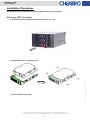
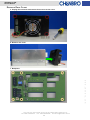
Refer to page 17 for rear cover removal.
SATA or SAS HDD access LED signal auto selection
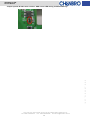
This Jumper (CN8) is located behind the rear cover.
Jumper Closed: Enable auto selection
15Fl., No.150, Jian Yi Road, Chung Ho City, Taipei Hsien, Taiwan R.O.C.,
Tel: +886 2 82265500 Fax: +886 2 82265392 Email: [email protected]
14
w w w . c h e n b r o . c o m
Default setting