1
ChipMax User’
s Guide
1.
2.
3.
4.
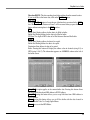
Program the main memory
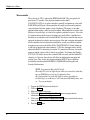
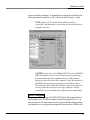
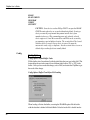
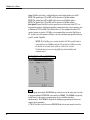
Click on the OPTION button
Set all of the configuration fuse in OPTION menu
Click on the Program configuration fuses button
You may also read the status of the Configuration Fuse under the OPTION
selection.
In order to obtain more information about programming the configuration fuse,
contact Microchip technology at 602-786-7200 or consult the appropriate data
book.
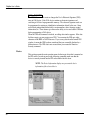
Copy from a master chip to a new chip
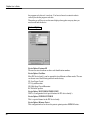
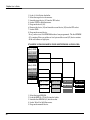
1. Select the master device from select menu in Microcontroller.
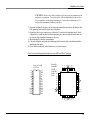
2. Put the chip on the ZIF socket.
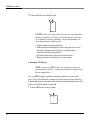
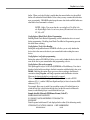
3. Click on the Device button and read the chip.
4. Click on the Option button and read the fuses.
5. Write down all of the option fuses [the memory protect must be disabled] in order
to copy the information from your master chip.
6. Place a new chip. It must be the same chip as the master chip.
7. The buffer still holds your master data and the memory portion.
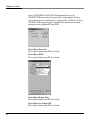
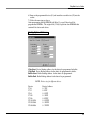
8. Click on Option again and set all the fuses that you wrote.
(To change the option, use the arrow button in the selection box.)
9. In the same Option menu, Click on the program configuration fuses, read
and compare the fuses with your original device.
CAUTION : The PIC16C711, will be used as an OTP (one time
programmable)chip when you erase the secured device. You cannot reuse
the chip after erasing it, even though the PIC16C711 is an erasable
device.
�
�
Serial EEPROMs
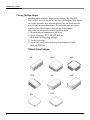
These devices are electrically erasable, but they operate serially rather than parallelly.
Atmel or Xilinx 17xxx
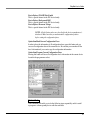
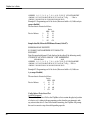
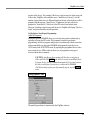
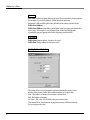
You need to set the POLARITY FUSE with this family via the Option menu. After
programming the main MEMORY, go to the OPTION menu and make the
appropriate change. On OTP (One Time Programmable) devices, the POLARITY
FUSE status cannot be reversed once it has been changed. Even on some of the
windowed 7xxx family devices (excluding Xilinx 17xxD/L & 17128), the
POLARITY FUSE cannot be toggled. Consult the device manufacturer for further
instructions on how to handle the Polarity FUSE.
35