1
Geocode Address Global
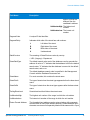
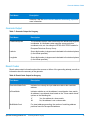
You may want to use a balanced strategy between match rate and geographic precision. That is,
you may want to geocode as many records as possible automatically, but at the same time want to
minimize the number of weaker matches (false positives). For example, false positives can occur
when the geocoder:
• finds a street that sounds like the input street.
• finds the same street in another city (if postal code match is not required).
• finds the street but with a different house number (if house number is not required).
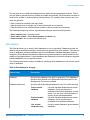
The following settings may achieve a good balance between match rate and precision:
• Close matches only—Select this option.
• Close match criteria—Select House number and Street only.
• Postal centroid—Do not select this fallback level.
Data Options
The Data tab allows you to specify which databases to use in geocoding. Databases contain the
address and geocode data necessary to determine the geocode for a given address. There are two
kinds of databases: standard databases and custom databases. Standard databases are those
supplied by Pitney Bowes and based on address and geocoding data from postal authorities and
suppliers of geographical data. Custom databases are databases you create to enhance or augment
standard databases for your particular needs.
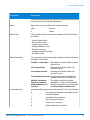
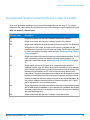
The following table lists the options available for specifying which databases to use and the search
order of databases.
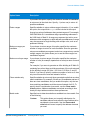
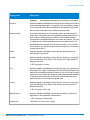
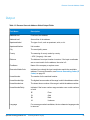
Table 4: Data Options for Uruguay
Option Name
Description
Database
Specifies the database to be used for geocoding. Only databases
that have been defined in the Databases Resources panel in the
Management Console are available.
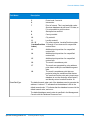
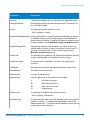
Database preference
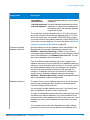
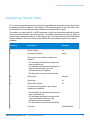
Specifies which geocoding databases to use. One of the following:
Spectrum Technology Platform 10.0
Prefer custom
database
Use both standard databases and custom
databases, but give preference to
candidates from custom databases. Use this
option if you feel your custom database is
superior to the standard database.
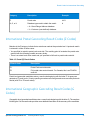
Prefer standard
database
Use both standard databases and custom
databases, but give preference to
candidates from standard databases.
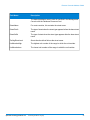
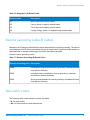
Use custom
databases only
Use only custom databases. Ignore standard
databases.
Geocoding Guide for Uruguay
12