1
Freescale Semiconductor, Inc.
SC_Assem.book Page 79 Thursday, September 23, 2004 10:44 AM
Software Project Management
Overlays
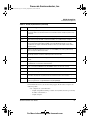
Use the ORG directive to specify absolute address assignment. This directive also can
specify the location counter (H, L, default, or a section’s numbered counter), and assign
initial values.
NOTE
Counters 0, 1, and 2 correspond to the default, L, and H counters. Apart from
this, there is no inherent relationship among numbered counters.
Location counter names default, L, and H are symbolic — the assembler does
not verify that an H-counter value is greater than an L-counter value.
Counters are useful for providing mnemonic links among individual memory blocks. You
can use separate counters for blocks in one section that get mapped to separate physical
memories.
Overlays
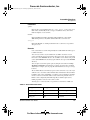
When you use the SECTION directive, you define a regular section; you may use the
SECFLAGS or SECTYPE directives to modify the section.
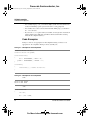
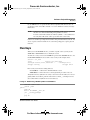
To define an overlay section, use the OVERLAY operand of the SECTYPE directive. Use
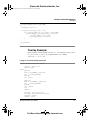
the SECTYPE UNION directive to define a data overlay, as this example shows:
section .ovl_star
local
section.ovl_pure_data
secflags nowrite,alloc,execinstr
secflags alloc
sectype overlay
sectype union
Each overlay section has two starting addresses:
• Load address — address where the linker links the section.
• Run address — address where the section begins during execution of its code.
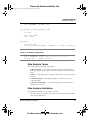
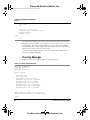
All symbol references symbols in an overlay section refer to the run address. To refer to a
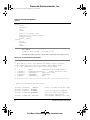
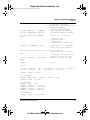
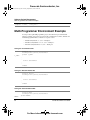
global symbol’s load address, prefix the name with LoadAddr_, as Listing 4.2 shows.
(You cannot make local symbols refer to load addresses.)
Listing 4.2 Referencing a Global Symbol’s Load Address
section .text local
global _main
_main:
push r0
move.l #LoadAddr__star,r0
jsr __overlay_manager
. . .
pop r0
SC100 Assembler User Guide
For More Information: www.freescale.com
79