1
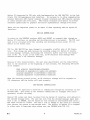
TABS AND MARGINS
4.17
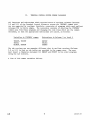
The Terminal Control System allows the user to
set and reset tabs and margins to facilitate format layout.
The tab and margin settings are software generated and as
such are useful only for A/N output through Terminal Control
System routines. All tab and margin values are in screen
coordinates. Both horizontal and vertical tabs and left and
right margins are available; both horizontal and vertical
tabs are limited to ten positions each.
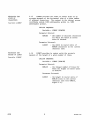
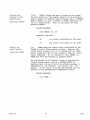
SETTING THE TAB
TABLE:
Subroutine TTBLSZ
4.17.1
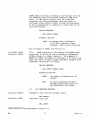
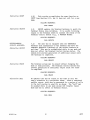
Tab settings for both horizontal and vertical
tabs are kept in two ten-word integer arrays. The settings
are ordered with ascending screen coordinates, the first
zero value indicating the end of the settings. TTBLSZ
sets up the size of the integer array. The horizontal and
vertical arrays must be equal in size.
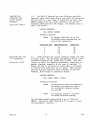
CALLING SEQUENCE:
CALL TTBLSZ (ITBLSZ)
Parameter Entered:
ITBLSZ - the size of the tab table
(horizontal and vertical)
expressed as an integer
from 1 to 10.
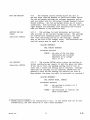
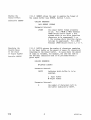
TAB SETTING:
Subroutine SETTAB
4.17.2
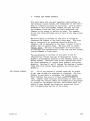
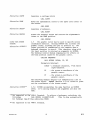
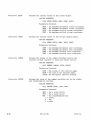
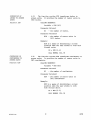
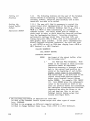
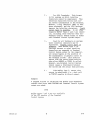
The routine SETTAB takes a given tab setting in
screen coordinates and inserts it into the given tab table.
If the tab is full, the maximum setting will be lost in
order that a lessor tab setting may be inserted. Although
duplicate tab settings are not inserted, SETTAB does not
generally check the tab setting for validity nor does it
know whether the given tab table is horizontal or vertical.*
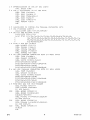
CALLING SEQUENCE:
CALL SETTAB (ITAB, ITBTBL)
Parameters Entered:
ITAB
tab setting in either X or Y
coordinates.
ITBTBL - the horizontal or vertical tab
table (Array Name).
* SETTAB expects ITBTBL to be initialized to zero. If the system does not do this
automatically, the user should do it with a DATA statement.
4010A01 User
@
4-15