1
For COMMANDfleet to properly integrate with COMMANDseries, certain licenses must
be set up (COMMANDseries Licensing and Modules) and the COMMANDseries
initialization file must point to the COMMANDfleet installation. The initialization file
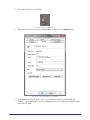
cmdserie.asn is located in the Clients folder. The [logicals] section of this file must have
a line pointing to the location of the COMMANDfleet installation, similar to the following:
[logicals]
Command_Fleet=C:\CMDseries\COMMANDfleet\Dispatchertools.exe
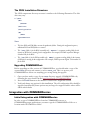
After a COMMANDseries Upgrade
If you are running COMMANDfleet, the following is required to maintain the current
configuration after a COMMANDseries upgrade:
1.
2.
3.
Copy the COMMANDfleet folder to a location inside the CMDseries folder.
Proceed with the normal COMMANDseries upgrade procedure.
After upgrading, move the copied COMMANDfleet folder back into the CMDSERIE
folder and ensure the name of the folder is COMMANDfleet.
Note: Version 5 of COMMANDseries can only run up to COMMANDfleet 2.12.
Configuring the Command Alkon Configuration Console
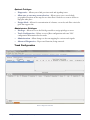
This console is a centralized configuration and management location for the CNClient,
BLS, PM, and each of their Queues. The next few sections explain how to create, configure
and start each of the COMMANDfleet components from within the Configuration
Console.
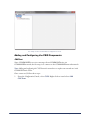
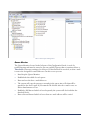
Adding and Configuring the CSIS Components
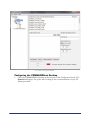
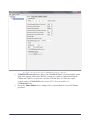
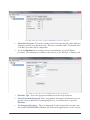
Configuring the COMMANDfleet Desktop
Starting and/or Removing Components
Installing COMMANDfleet
19