1
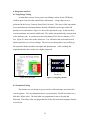
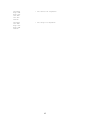
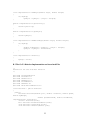
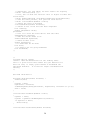
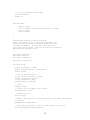
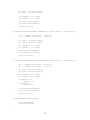
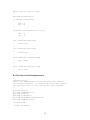
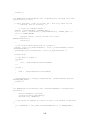
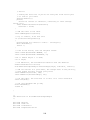
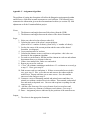
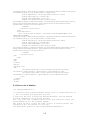
future expansion of our design and so is automatically set to NULL.
newFlag
numOfRobots
distance1
distance2
distance3
distance4
angle1
angle2
angle3
angle4
1
2
5
NULL
NULL
NULL
NULL
NULL
NULL
NULL
1
2
7
NULL
NULL
NULL
NULL
NULL
NULL
NULL
1
1
0
NULL
NULL
NULL
NULL
NULL
NULL
NULL
1
2
10
NULL
NULL
NULL
NULL
NULL
NULL
NULL
1
2
4
NULL
NULL
NULL
NULL
NULL
NULL
NULL
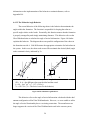
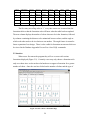
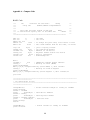
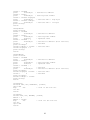
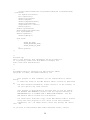
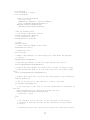
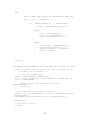
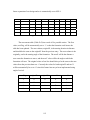
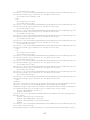
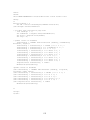
Figure D-1 Excerpt from Formations Table
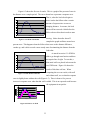
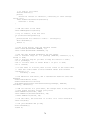
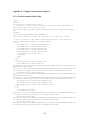
The movements table (Table D-2) has a total of five possible entries. The first
value, newFlag, will be automatically set to ‘1’ so that the formation code knows the
table has been updated. The next column, originalX, is the starting location in distance
and should be the same as the originalY from the previous entry. The next column is the
originally, and is the starting angle of the formation. The newX will be the distance a
user wants the formation to move, and the newY value will be the angle at which the
formation will turn. The original values of one line should always be the same as the new
values from the previous data row. Currently the values for both originalY and newY
will be automatically be set to ‘0’ since this feature has not yet been implemented using
angle of arrival.
newFlag
originalX
originalY
newX
newY
1
0
0
6
0
1
5
0
10
0
1
2
0
7
0
1
8
0
4
0
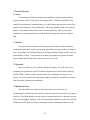
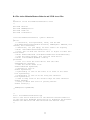
Table D-2 Movement Table
115