1
Dok.Nr./No.:
CGS-RIBRE-MA-0010
Ausgabe/Issue:
2/-
Datum/Date:
2012-09-12
Seite/Page:
22
von/of:
31
4 Configuration of the Message Window
4.1 Configuration Concept
The Message Window is configured through one or more XML files; a configuration comprises the following elements:
• a version number
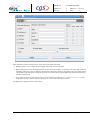
• the window appearance and preferences:
o
width and height of the window
o
position of the window
o
the maximum number of messages kept and displayed
o
whether auto scrolling is enabled
o
whether exit needs a confirmation
• a list of view definitions
• a list of filter definitions
The configuration is based on the configuration concept described in 1.1. The Configuration Editor can be used to set up
and edit the configuration.
Please note that a configuration need not be given in one file, but may be split in several files, each containing a part of the
overall configuration. Only when merged together, the set of separate files must result in a complete Message Window
configuration. All files must be given as parameters to the message_window program. If a file given in the command line
contains attributes that were already given in a preceding file, these multiple attributes are resolved as follows:
• View definitions from different files are gathered in the list of views. View names must be unique. If the same view
name is given twice, an error message is displayed.
• Filter definitions from different files are gathered in the list of filters. Filter names must be unique. If the same filter
name is given twice, an error message is displayed.
• Window related attributes overlay and hide the previously given attributes.
This allows to build multiple-level configurations, e. g. in the form that a basic configuration on system level may be extended and modified by separate configurations on group and user level. This way, a user may not only add his own views
and filters, but also modify e.g. the window size.
The values of several attributes may contain placeholders for environment variables. They have one of the two forms
{$variable_name}
{$variable_name=default_value}
These placeholders are substituted by the Message Window with the value of the corresponding environment variable. If
the variable does not exist and a default value is given, the default value replaces the placeholder. If the variable does not
exist and there is no default value, the Message Window will report an error and reject the configuration.
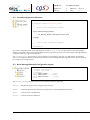
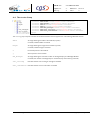
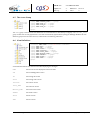
The following describes the configuration, giving both a graphical representation of the elements in Configuration Editor
conventions (in terms of groups and attributes) and a pure XML pattern. This should enable a reader to manually set up a
configuration in XML form. Within the XML patterns, identifying attributes to be given in this form are shown in bold, attribute values to be supplied by the user are shown in italic and in red text.
FORM 0019.1M.1
logger.rtf
Copyright by EADS - All Rights Reserve