1
4
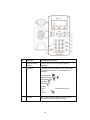
Line Indicators
5
Line Keys
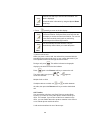
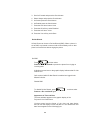
The LED’s indicate the following:
- Solid green-An active call is in progress. Fast flashing green-There is an Incoming
(ringing) call.
-Flashing red-The call is on hold.
Activate up to two lines that can be assigned to your
phone.
and
6
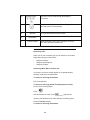
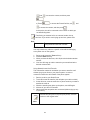
Hold
Holds an active call or resumes a held call.
7
Headset
8
Speakerphone
9
Hands-free
Microphone
-
Picks up audio during hands-free calls. Place your phone on
a hard, flat surface for best results.
10
Volume Keys
Adjusts the volume of the handset, headset, speaker,
and ringer.
11
Microphone Mute
Allows you to place and receive calls through an
optionally connected headset.
Allows for hands-free communication during calls.
Mutes local audio during calls.
12
Dial Pad
Provides the 10 digits, alphabetic characters, and special
characters available in context-sensitive applications.
13
Feature Keys
Access important features using these keys.
Dials phone numbers or allows you to view the placed
call list.
Accesses local (your phone) and call server features
28