1
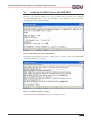
DIL/NetPC DNP/9200 User Manual – Installing the SSH Connection
3.3
Starting an SSH Connection
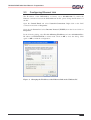
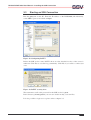
Run the putty.exe on the PC. Enter the IP address of the DNP/9200 (192.168.0.126),
select SSH as protocol and click on Open.
Figure 12: Configuring PuTTY
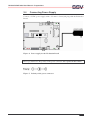
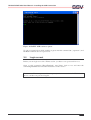
Before the SSH session starts, PuTTY shows an alert, that the host key of the server is
unknown. Click Yes to save the key permanently. Click No, if you want to connect just
once.
Figure 13: PuTTY security alert
The username as well as the password for the SSH session is guest.
In the directory /home/guest you can store and/or modify your own files.
It is also possible to login as root, please refer to chapter 3.4.
SSV EMBEDDED SYSTEMS
12