1
Printing With Macintosh
Note
1
2
3
4
z Menu and command names may differ between software applications, and
more steps may be required. For details, refer to the documentation for each
software application you use.
z The steps described in this section are for printing in Mac OS X v.10.3x.
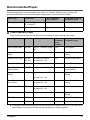
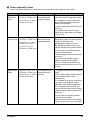
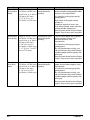
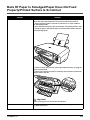
Press [ON/OFF] to turn ON the machine. (See page 14)
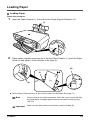
Load the paper in the Auto Sheet Feeder. (See page 23)
Create a document or open a file to print.
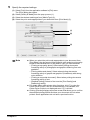
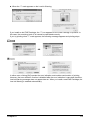
Select [Paper Size].
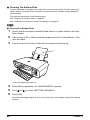
(1) Select [Page Setup] from the application software's [File] menu.
The [Page Setup] dialog box opens.
(2) Confirm that your machine is selected in [Format for] (1).
(3) Select the desired paper size from [Paper Size] (2).
(4) Click [OK] (3).
(1)
(2)
(3)
54
Printing From Your Computer
Chapter 5