1
Chapter 3: The Firmware
If you want to start over, the escape key causes the Experimenter to dump
the whole contents of the input buffer. This is also handy when initializing
computer control mode (described later), to get rid of any garbage characters that
may have come from noise on the communications line during power-on.
Xon/Xoff handshaking is supported by the Experimenter. In this type of
handshaking, your computer sends the Experimenter a control-S character
when it is running out of room in its input buffer. This causes the Experimenter
to stop sending characters. After your computer has digested the input, it sends
out a control-Q character causing the Experimenter to resume sending.
Software Controlled Communication
Software development for personal computers gets easier all the time. New
versions of old programming languages like BASIC have been given structured
programming constructs (no more line numbers!), high resolution graphics
support, and include nice editors and debugging capabilities. It is fun and
immensely satisfying to write a program that links physical world events to
graphics on your computer screen. It is also easy to do. Programming languages
have good support for the serial ports, so no special hardware driver is needed
for the Experimenter.
The Experimenter powers-on in manual communication mode
mode. This is for
the convenience of folks using communication programs as described in the
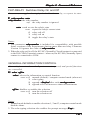
previous chapter. But the communication mode is easy to change. The GENERAL-INFORMATION/CONTROL command lets you switch the Experimenter to computer control mode
mode. Just send the command G 0 1. This does
several things:
1. It disables the echo of characters. Most communication programs expect
the system with which they connect to echo characters as they are typed.
Naturally, in computer control mode, echoing characters is unnecessary and
would just clutter up the Experimenter’s replies with the echoes of commands.
So, echo gets disabled.
2. It disables appending a linefeed after each carriage return. Again, most
communication programs expect a linefeed character after each carriage return.
But most programming languages looking for input from a serial port are only
expecting a carriage return. So, linefeed gets disabled.
3. It disables appending a 0 after each timer measurement. The timers in
the Experimenter measure in 10 microsecond steps. For example, a value of 56
corresponds to 560 microseconds. However, people think more clearly when we
stick with common units like milliseconds and microseconds, rather than
unusual units like 10’s of microseconds and quarters of fortnights. So, at power-
- 19 -