1
Before you purchase new furniture and equipment:
»»
Assess the work and tasks;
»»
Draw up a purchasing checklist to identify important features of equipment design,
including user requirements;
»»
Determine whether any existing furniture and equipment will be re-used – it may
be desirable to re-furnish or recycle office furniture. Desks can be made shorter
or taller, be fitted with adjustable legs, and have old adjusting keyboard platforms
fixed to provide a single flat surface. Chairs can have castors replaced and gas-lifts
repaired or replaced (with shorter or taller units), and can be re-covered;
»»
Consider and trial new or updated equipment, and mock up a prototype of the
new workstations or workplace layout. Have your employees ‘user test’ these and
provide feedback on the proposed furniture and workplace arrangement. Obtaining
computer user ‘buy-in’ is likely to have benefits for improved efficiency and a
reduction in the likelihood of health issues;
»»
Evaluate whether the design of the equipment is suitable and appropriate for the
computer users and their tasks. It may be necessary to have a number of designs
to accommodate all users.
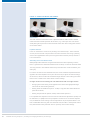
Desks
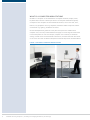
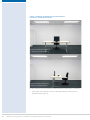
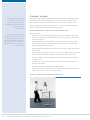
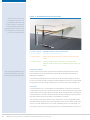
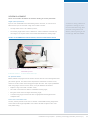
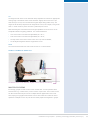
The desk on which the computer sits plays an important role in determining working
postures. Typically, there are three types of desk set-up:
»»
Easy, self-adjust desks suitable for multi-users;
»»
‘Techie’ or ‘technician’ adjust desks, which are often more difficult to adjust and
require assistance when being set up for the individual user;
»»
Fixed-height desks, which are of a height appropriate for the individual user.
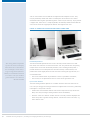
Important features of a desk include:
»»
It being of an appropriate height for the user;
»»
Ease of adjustment. If adjustment controls are present, they should be clearly
marked and not cause injury or damage to clothing, nor should it be possible to
operate them accidentally. Controls should be designed to operate smoothly and
not move unexpectedly;
46
»»
A strong and stable surface;
»»
Rounded upper and lower edges and corners, to avoid injury and contact stress;
»»
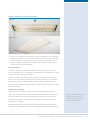
A surface with a light, neutral colour that is non-reflective, i.e. matt finish.
Guidelines for using computers – preventing and managing discomfort, pain and injury