1
Chapter 6: Installing and Configuring Hardware
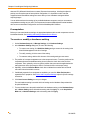
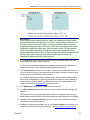
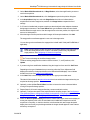
3. To rename a device or component, in the list of claimed devices, select the device or
component and type a new name.
4. To change the settings of a component, in the list of claimed devices, select the component
and click Settings. In the Settings dialog box, make the changes, and click OK.
See Device and Component Settings for specific settings information for the component.
Note: Device settings can be changed and components can be removed or added only
in the Install System Devices dialog box as described in Installing Device Drivers.
Component settings can be changed in both the User Settings for 'Default'
configuration hardware dialog box and the Install System Devices dialog box.
Changes that you make to component settings in the User Settings for 'Default'
configuration hardware dialog box do not affect the settings defined in the Install
System Devices dialog box.
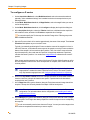
5. In the User Settings for 'Default' configuration hardware dialog box, click Apply to save
your changes without closing the dialog box (if you want to load and configure other devices) or
click OK to save your changes and close the dialog box.
To uninstall a device driver, you do not have to first "unload" it. You can simply click Install
Devices on the Hardware Setup tab, select the driver, and click Remove.
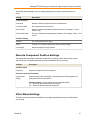
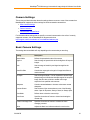
Device and Component Settings
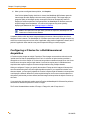
This section provides information about the settings that are common to most of the devices and
components that the MetaMorph NX Software supports.
l
Device Calibration Settings
l
Discrete Component Position Settings
l
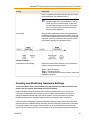
Filter Wheel Settings
l
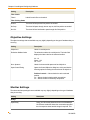
Objective Settings
l
Shutter Settings
For information about settings that are specific to certain hardware and to view a list of currently
supported hardware, visit the MetaMorph NX Support web site at
http://support.meta.moleculardevices.com/hardware/hardware.php
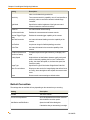
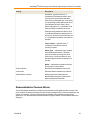
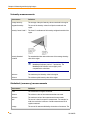
Device Calibration Settings
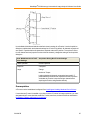
Use the options described below to define the unit of measurement for device movements. For
example, you could define the unit of measurement for X stage movements so that 4 microns equals
1 step.
50
5011685.B