1
Using of RubyEncoder
28
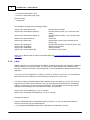
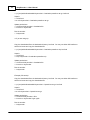
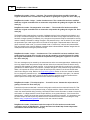
into /home/myproject/encoded. Additionally backup source scripts in source
directory with .bak extension.
> rubyencoder -o /home/myproject/encoded -b bak @filelist
Always quote file masks. Otherwise the command line shell will replace your mask with the
real file and dir names and the result may be unexpected. You should always quote file masks
that specify files to encode or exclude in command line options (e.g. "*.rb").
2.2.9
Excluding files from encoding but still copying to output directory
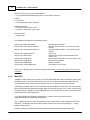
We have added an option into the command line encoder to specify which files should be encoded (-f).
You may specify what files will be encoded specifying their filenames, filemasks or filelist. All other files
which have been added for processing or found by expanding filemasks will be copied to the output
directory "as-is" without encoding. If you don't specify the -f option then all specified files will be
encoded by default.
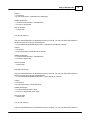
Example 1:
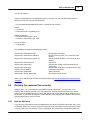
>rubyencoder -r -f "*.rb" -o "output_dir" "*"
All (with recursion) *.rb files from the current directory will be encoded and copied to output_dir. All other
files from the current directory will be copied to output_dir as-is (unencoded).
You may specify multiple file names or file masks adding more than one -f option:
Example 2:
>rubyencoder -r -f "*.rb" -f "includes/*.inc" -f @myfiles -o "output_dir" "*"
If you don't specify the output directory but use -f option then only files specified with -f option will be
encoded. All other files will remain unchanged.
Also it's possible to permanently mark files for skipping from encoding. See details.
2.2.10 Excluding files by the file mask
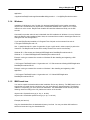
You may exclude some files or directories from encoding when use the command line encoder. Please
use --exclude=mask option to specify file(s) and/or dir(s) to exclude from processing. You may specify
either a strict name, relative path with a directory name or a mask (with ? and/or * wildcard symbols).
UNIX users: Always quote masks under UNIX. Otherwise your shell interpreter will replace the
specified file mask with real file and directory names and the result may be unexpected. You should
always quote masks that specifies files to encode too (like "*.rb" in the example below).
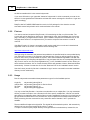
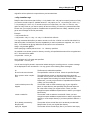
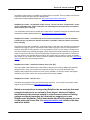
Example: rubyencoder -r --exclude "doc/*" --exclude "config.rb" "*.rb"
This will encode all *.rb files in the current directory and all directories recursively but all files in the "doc"
© 2013 rubyencoder.com