1
BCAM 13nvironment User’s Manual
Chapter 4
24
Chapter 4 BCAM Environment User’s Manual
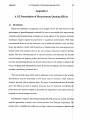
4.1
Introduction: Starting the BCAM System’
To enter into the BCAM environment, first change directories to “-bcamdev/t
7”
then enter the command “source -bcam/src/main/.bcam” and then enter the comm, id
‘‘./BCAM”
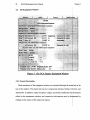
An introductory widow will appear. Click on “Ok” to continue. At this point the n: in
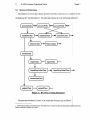
menu will appear. To activate some equipment, click on the “EQUIP” selection and a ml
IU
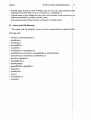
of available equipment will appear. Clicking on an equipment name activates 1 at
equipment, and a window for the equipment will appear. Several machines may
3e
activated at any given time.
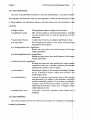
The individual equipment windows allow a multitude of operations. Equipment set1 ’g
recipes may be edited, stored, and retrieved from the BCAM database. Simila Y,
equipment performance models may be edited, stored, and retrieved. The equipm nt
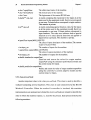
window also facilitates the definition of equipmcn t interconnections for use with ie
BCAM workcell controller application. In addition to the workcell controller, the BCA M
environment supports Diagnosis and Statistical Process Control (SPC) applications; tk se
applications are also activated from the equipment window.
1. These instructions are for the current experimental implementation on 11. C . Berkeley’s radon Sun4 computer.