1
TITANIUM User Manual
It is necessary to wait some minutes (approximately 7 minutes) so that the
camera is ready to take infrared images. The pattern is displayed during all this
time.
5.5. Pointing and focusing
Before taking a measurement, ensure that the object is located at the center of
the image and that focusing is optimized.
TITANIUM Cameras could control optional motorized lenses, and focusing is
carried out by using the control buttons in the software.
The installation of a filter in the optical path modifies the
focusing distance.
Refocus after positioning a filter.
5.6. Camera Power Off
The camera is turned off by pressing the ON/OFF button for 2 seconds.
Repeated Power on operations may reduce the lifetime of the
equipment.
It is better to leave the camera operating during intervals of use of
less than 2 hours
5.7. Precautions
Do not exceed specified environmental conditions.
Your equipment risks malfunction after being exposed to extreme
environmental conditions.
Handle with great care the lens and all moving parts
Handle gently any additional lenses, as well as the connectors. These
parts are particularly fragile.
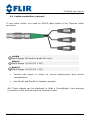
Connection of cables
The connection and disconnection of the cables can be carried out at any
time, camera on or off, computer on or off.
DCO19U-F Titanium User Manual
Page 11