1
ACS Basic User‘s Manual
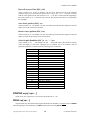
Special Variables
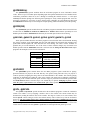
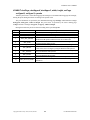
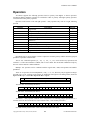
ACS Basic also has built-in special variables. Special variables are denoted by a ‗@‘ character as the
first character of the variable name. The special variable names are ‗tokenized‘ when entered to save
program memory and speed program execution: for example the special variable @SECOND would be
tokenized to two bytes instead of seven bytes.
Special variables may not be assigned a value by appearing in an FOR, DIM, INPUT, READ,
FINPUT #N or FREAD #N statement. Some special variables are read-only and may not appear on the left
hand side of a LET assignment statement.
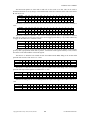
Some special variables have Events associated with them and may be referenced in ONEVENT,
SIGNAL and WAIT statements. See the description for the individual special variables and the Events
section below for more information.
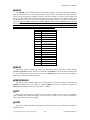
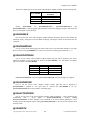
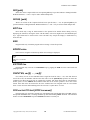
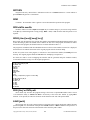
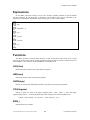
@TIMER(x)
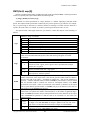
The @TIMER(x) special variables allow the ACS Basic program to measure or control time intervals.
There are ten timers; permissible values for (x) are 0 through 9. Setting the variable to a non-zero value
activates the timer. The value in the timer variable is decremented every 20mSEC (50 Hz) until it reaches
zero. Upon reaching zero any associated event handler specified with the ONEVENT statement is
activated.
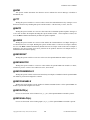
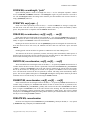
@PORT(x), @PORT2(x)
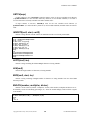
The @PORT(x) and @PORT2(x) special variables allow the ACS Basic program to access I/O ports.
There are 256 eight bit ports; permissible values for (x) are 0 through 255. Setting the variable to a value
writes the value to the I/O port (x). Reading the variable returns the value from the I/O port (x). Note that
ports 0, 1 and 2 are consumed by optional installed CFSound-3 Contact I/O modules.
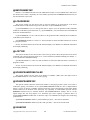
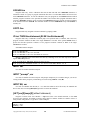
@CONTACT(x)
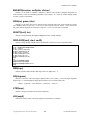
The @CONTACT(x) special variables allow the ACS Basic program to access CFSound-3 contacts.
There are up to 56 contact inputs and up to 16 contact outputs depending upon what optional modules have
been installed on the CFSound-3; permissible values for (x) are 0 through 55. Setting the variable to a ‗1‘
activates output contact (x). Reading the variable returns the value from the input contact (x).
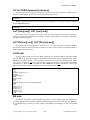
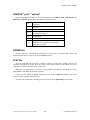
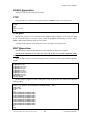
@CLOSURE(x)
The @CLOSURE(x) special variables allow the ACS Basic program to access CFSound-3 contact
events. . There are up to 56 contact inputs depending upon what optional modules have been installed on
the CFSound-3; permissible values for (x) are 0 through 55. Reading the variable returns a ‗1‘ if the input
contact(x) has had a closure since last being read. Closures are ‗sticky‘ and the program must ‗clear‘ the
closure by assigning it a zero before it can be detected again. Optionally an event handler specified with the
ONEVENT statement may be activated upon an input closure, which automatically clears the closure.
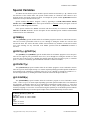
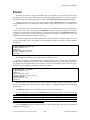
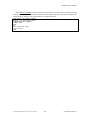
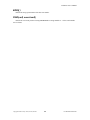
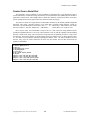
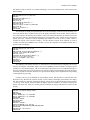
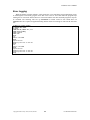
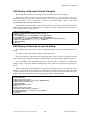
10 ONEVENT @CLOSURE(24),GOSUB 100
20 ONEVENT @CLOSURE(25),GOSUB 200
30 GOTO 30
100 PRINT "contact 25 closed":RETURN
200 PRINT "contact 26 closed":RETURN
Ready
run
contact 25 closed
contact 26 closed
Copyright©1992-2010 by ACS, Sarasota, Florida
9
ALL RIGHTS RESERVED