1
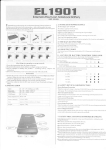
3.Place Name Lable
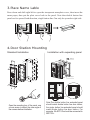
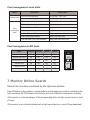
Press down and shift right/left to open the tracsparent nameplate cover, then insert the
name paper, then put the plate cover back to the panel. Note thar double button line
panel can be opened both direction, single button line Can only be opened at right side
Da
vid
Calo
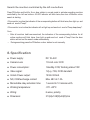
4.Door Station Mounting
Standard Installation
Jointer*2
mm
298.5 mm
114.5
Installation with expanding panel
45
Stopper
mm
PB
P+
PVD
A1
JWV(OUT) D2
PROG
JWP
CN-LK
PA
MR11
JWB(OUT)
EB+
EB N.O.
LK+
LK +12V
JP-LK
RS-485
1
2
3
T/R+
T/R-
D1
NC
MD2 MD1 P- MA1
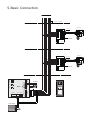
Open the mounting box of the panel, use
a cross screw to adjust the view angle of
the camera before installation.
P- P+
VG VD
Note:The double button line extended panel
should match double button line door station;
the single button line extended panel should
match single button line door station. For
example, the EP11/Dx should be connected to
MR11/Dx .