1
BTEC’s own resources
Just checking
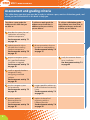
1.What do we mean by routine maintenance?
2.Explain what compatibility issues are and give examples.
3.What are the issues around decommissioning hardware components?
4.Identify three risks to data, their potential consequences and how they can be minimised.
5.Explain how data can be backed up.
6.Find the specifications of two software applications that require more than 1GB of RAM to run well.
7.Research the different DVD standards then produce a table to explain the differences between them.
8.Find the cost to upgrade a computer system with a RAID controller and three extra hard drives.
9.Find two different products that could be used to remove dust from components.
10.Find two manufacturers’ websites with pages where hardware component manuals or guides can
be downloaded.
Assignment tips
Hardware installations can be dangerous and cause expensive damage. Always take care to listen, question and
understand tasks you undertake for this unit.
• To pass this unit you will need to install more than one component.
• Plan your hardware installations carefully.
• Always be careful not to injure yourself or damage equipment.
• Always follow health and safety regulations and guidelines as there is real danger in hardware installations.
In your assignments:
• Make sure you include the implications of installing hardware components.
P1
• Remember to include any potential risks you should consider when installing hardware components.
P2
• When preparing a computer system for a specified hardware installation or upgrade, you should mention
whether any data needs to be backed up. P3
P4
• You must configure the software associated with the components for evidence. P4
• You must include how you took precautions to safely install hardware components.
• Your testing has to confirm that the reassembled computer system functions correctly with everything working,
including the upgrade. P5
• The documentation you produce for your modified computer system should identify the upgraded components,
why they were upgraded, how they were configured and the testing to confirm they worked properly. P6
• You need to explain both the problems you expected and the precautions you took to avoid them.
• You must identify several hardware functionality issues. Suggest a possible solution to resolve each.
M1
M2
• Your explanations of why components should be registered need to include how to register a component as
well as the benefits of registration. M3
• Justifying the resources chosen for the installation will need to include components, tools and software.
34
D1