1
5A Hartnett Close
Mulgrave 3170,
Australia
Network
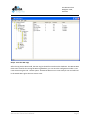
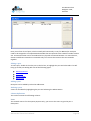
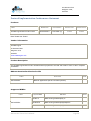
The network field contains a Number between 1 and 65534 that Uniquely Identifies the network.
Type
The type field is one of four types: IP, Ethernet, MSTP or PTP
Details
The details field contains a summary of the port parameters.
BACnet/IP
Overview
BACnet/IP is the most common connection to the BACnet Network, and in order to connect to the
network you should consult the BACnet Installer to determine which UDP Port is being used and the
Network Number. Be aware that BACnet Ethernet is different to BACnet/IP. Many installers do not
realize that most BACnet devices can be configured to use either BACnet Ethernet or BACnet/IP and
often do not identify which one is being used. BACnet/IP was introduced after BACnet Ethernet and
is often referred to as Annex J. Both protocols operate over an Ethernet connection, however all
devices must be configured to use the same protocol.
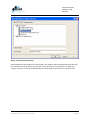
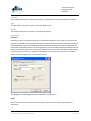
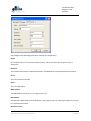
This dialog has the following parameters available for configuration.
Name
The network name is for descriptive purposes only; you can use the name to give the port a
description.
BACnet OPC Client User’s Manual
Page 11