1
ADVANCED MEASUREMENT
ADVANCED MEASUREMENT
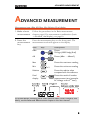
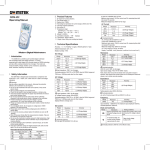
Measurement item: dBm, dB, Max, Min, Relative, Dual display
1. Make a basic
measurement
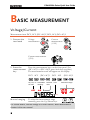
Follow the procedures in the Basic measurement
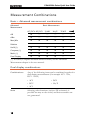
chapter, page6. For measurement combinations (basic
+ advanced, dual display), see page10.
2. Press the
measurement
key
Press the measurement keys on the front panel. The
measurement result will appear on the display.
Item
Keys
Descriptions
dBm
Shows
10*log10(1000*Vrdg2/Rref)
dB
Shows (dBm − dBmref)
Max
Shows the maximum reading
Min
x2
Shows the minimum reading
Relative
Shows the relative value
compared with the reference
Dual
display
Shows the result of another
measurement item (example:
AC Voltage as the 2nd item)
For further details including other measurement items (Hold, Compare, and
Math), see the Advanced Measurement chapter in the user manual.
9