1
Basic Concepts
Basic Concepts
Triggering
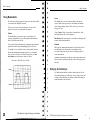
AC Line. You can use this trigger source when you want to look at
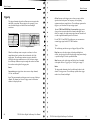
The trigger determines when the oscilloscope starts to acquire data
and display a waveform. When a trigger is set up properly, it can
convert unstable displays or blank screens into meaningful
waveforms.
signals related to the power line frequency, such as lighting
equipment and power supply devices. The oscilloscope generates the
trigger, so you do not have to input a trigger signal.
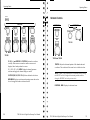
External (TDS 210 and TDS 220 Only). You can use this trigger source
when you want to acquire data on two channels and trigger from a
third. For example, you might want to trigger from an external clock
or with a signal from another part of the test circuit.
For the TDS 2 10 and TDS 220 oscilloscopes, you can connect an
external trigger signal to the EXT TRIG connector.
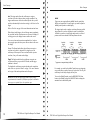
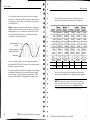
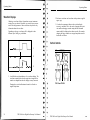
Iiiiifiiii
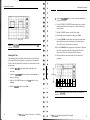
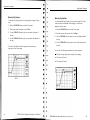
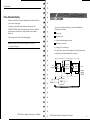
Triggered waveform
Untriggered waveforms
When the oscilloscope starts to acquire a waveform, it collects
enough data so that it can draw the waveform to the left of the
trigger point. The oscilloscope continues to acquire data while
waiting for the trigger condition to occur. After it detects a trigger,
the oscilloscope continues to acquire enough data so that it can draw
the waveform to the right of the trigger point.
Types
The oscilloscope provides two types of triggers: Edge and Video.
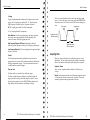
Edge. You can use the edge trigger with analog and digital test
circuits. An edge trigger occurs when the trigger input passes through
a specified voltage level in the specified direction.
Video. You can use the video trigger on fields or lines of standard
video signals. Refer to Triggering on a Video Signal on page 52.
Modes
Source
You can derive your trigger from various sources: Input channels,
AC Line. and External.
The trigger mode determines how the oscilloscope behaves in the
absence of a trigger event. The oscilloscope provides three trigger
modes: Auto, Normal, and Single.
Input. The most commonly used trigger source is any one of the input
channels. The channel you select as a trigger source will function
whether it is displayed or not.
10
TDS 200-Series Digital Oscilloscope User Manual
TDS 200-Series Digital Oscilloscope User Manual
11