1
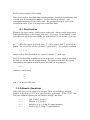
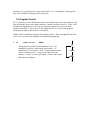
We’ll see more examples of this shortly.
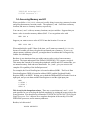
There is one stack for fixed-point data (including integers, characters, and addresses), and
a second stack for floating-point numbers. You don’t need to specify this – each
operation automatically uses the correct stack. But you might need to be aware of the
two different stacks, if you’re moving values to and from them.
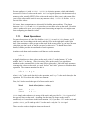
1.2.1. Stack Notation
Whenever you type a number, IsoMax puts it on the stack. (Integers on the integer stack,
floating-point numbers on the floating-point stack.) If you type a second number, it gets
put on the stack and the previous number gets pushed down. So, for instance, if you type
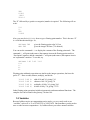
1 2 3
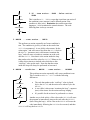
the “3” will be the topmost item on the stack, “2” will be under it, and “1” will be on the
bottom. You can see this with the command .S (“print stack”). Try typing the command
1 2 3 .S
and you will see how the numbers are “stacked” (with the “3” on the top).
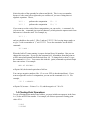
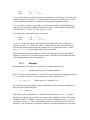
When we are describing parameters to be put on the stack, or values which are placed on
the stack, we will use this left-to-right notation. The rightmost item in the description
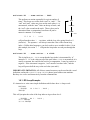
corresponds to the topmost item on the stack. So when you see parameters
a b c
you know it really means
c
b
a
with “c” on the top of the stack.
1.3. Arithmetic Operations
Most of the time you’ll be using 16-bit integers. These can be treated as unsigned
numbers, in the range 0..65535, or as signed numbers, in the range –32768..+32767. The
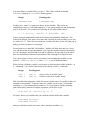
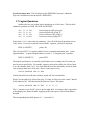
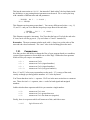
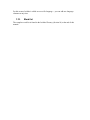
four basic arithmetic operators are add, subtract, multiply, and divide:
10
10
10
10
2
2
2
2
+
*
/
adds 10 and 2, giving 12
subtracts 10-2, giving 8
multiplies 10 by 2, giving 20 (signed numbers)
divides 10 by 2, giving 5 (signed numbers)