1
C. Installation
The described process within this document deals with the basic build process from source on *NIXsystems.
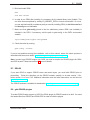
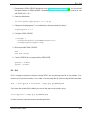
./configure
make
sudo make install
For operating systems like GNU/Linux, Windows and Mac OSX there are precompiled binaries where
you mostly do not need to read further than the next three following subsections. For current links to
binary packages, compair section D.
C.1. Installing GNU/Linux Version
For GNU/Linux binary packages are available for various distributions such as Debian, Ubuntu,
Fedora, Mandriva or SuSE. You can easily install the .rpm or .deb binaries with the appropriate
Package Manager.
C.2. Installing Windows Version
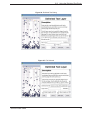
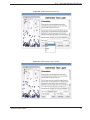
Installing the Windows version of QGIS is simply a matter of running the user friendly setup wizard.
See the README.WIN32 file for additional information regarding the Windows version of QGIS. At
version 0.74, the GRASS plugin was not yet available in Windows, because no native GRASS port
existed.
Since GRASS GIS is almost completely ported to MS Windows, QGIS 0.8 now includes the GRASS
plugin as well.
C.3. Installing Mac OS X Version
To install the compressed disk image containing the OSX version of QGIS, double-click to expand
and mount the image, then drag QGIS application to your hard drive. If you want to build from source
on Mac OS X, see http://wiki.qgis.org/qgiswiki/BuildingOnMacOsX. Installing the compressed
disk image is the easiest method and gives you the full functionality of QGIS and all plugins, including
GRASS. See the README file included on the disk image for additional instructions.
Additional information about the latest QGIS and its build-relates can be found at
http://mrcc.com/wiki/index.php/Building_QGIS_on_OS_X as well.
QGIS 0.8 User Guide
92