1
Version Checking (–V)
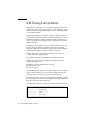
The –V option causes the name and version ID of each phase of the compiler to be
displayed. This option can be useful in tracking the origin of ambiguous error
messages and in reporting compiler failures, and to verify the level of installed
compiler patches.
Interactive Debugging With dbx and Sun
WorkShop
The Sun WorkShop provides a tightly integrated development environment for
building and browsing, as well as debugging applications written in Fortran, C, and
C++.
The Sun WorkShop debugging facility is a window-based interface to dbx, while
dbx itself is an interactive, line-oriented, source-level symbolic debugger. Either can
be used to determine where a program crashed, to view or trace the values of
variables and expressions in a running code, and to set breakpoints.
Sun WorkShop adds a sophisticated graphical environment to the debugging process
that is integrated with tools for editing, building, and source code version control. It
includes a data visualization capability to display and explore large and complex
datasets, simulate results, and interactively steer computations.
For details, see the Sun manual Debugging a Program With Sun WorkShop, and the
dbx(1) man pages.
The dbx program provides event management, process control, and data inspection.
You can watch what is happening during program execution, and perform the
following tasks:
■
■
■
■
■
■
■
■
■
■
■
■
78
Fix one routine, then continue executing without recompiling the others
Set watchpoints to stop or trace if a specified item changes
Collect data for performance tuning
Graphically monitor variables, structures, and arrays
Set breakpoints (set places to halt in the program) at lines or in functions
Show values—once halted, show or modify variables, arrays, structures
Step through a program, one source or assembly line at a time
Trace program flow—show sequence of calls taken
Invoke procedures in the program being debugged
Step over or into function calls; step up and out of a function call
Run, stop, and continue execution at the next line or at some other line
Save and then replay all or part of a debugging run
Fortran Programming Guide • May 2000