1
The Xfiles program is not a simple as ‘pick-up and run’ program as it first appears. Even though a
GUI interface is used it cannot be used to select the directories that are going to be synchronised, this
is done through the use of a command line argument when the program is first run. The use of the
command line argument means that if the directory needs to be changed then the program needs to be
closed and restarted with a different command line argument. Through the use of the command line a
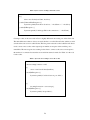
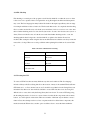
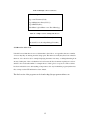
number of synchronisation options are available (Table 1), these options give the program more
flexibility in its operations, an ability that many other synchronisation programs do not have.
Table 1: Shows option available for Xfiles 1.4
-fast
only compare sizes and dates
-clientonly
focus on client, ignore missing server files
-serveronly
focus on server, ignore missing client files
-exclude str1 str2...
exclude files that contain these substrings
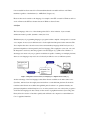
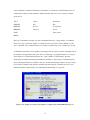
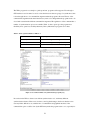
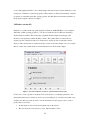
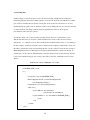
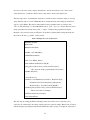
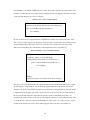
Figure 5: Screenshot for Xfiles 1.4 synchronisation program. [19]
In conclusion the Xfiles software is an efficient synchronisation tool, with many different
synchronisation features. However it does have some big disadvantages, the first is that the novice
user may find it difficult to use, with the mix of command line and graphical interface; if the
command line option could be done by the GUI it may make the program easier to use, especially for
21