1
Ford 6.0 Liter
Evolution
Fusion® PC Software
Internet Connection Required to Update
Fusion® Software allows the user to update their device to the latest version
of firmware and calibration files. This software is included on the disc
provided with your device. It can also be downloaded for free from Edge
Products web site at www.edgeproducts.com , or the CD can be requested by
calling 888-360-EDGE (3343).
Note: Be sure to install both the SOFTWARE and the DRIVERS that come
included in the download or on the disk before you connect your device to
your PC. During the installation you will be prompted to install the drivers,
choose yes.
For step by step installation instructions please copy this link into your
web browser
http://www.edgeproducts.com/product_images/product_update-file11.pdf
Once you’ve successfully installed the Fusion Software and Drivers, click on
the Fusion icon on your PC desktop. You may be prompted for a Fusion
login. If you have not yet created an account, click on “Create a New User”
and you will be taken to a webpage to create your login information. After
entering your information, a password will be sent to the email address you
provide. Please be sure that your email account does not block emails from
“edgeproducts.com”. Upon receiving the password, enter your email address
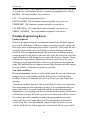
and password into the login screen. You’ll be prompted to connect the
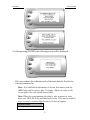
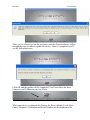
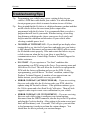
device to launch the update. After connecting the device, you’ll see the
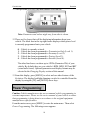
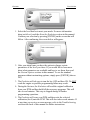
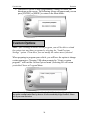
following screen. Click yes to continue with the update.
Note: Be sure to return your vehicle to stock before connecting the device to
Fusion.
Note: If the USB connector you received has 2 plugs, it is recommended that
you plug both USB connectors into the computer before connecting the
device to the other end to ensure proper operation.
40