1
The menu system
Navigating the menus
The choice of access level/user access determines which menus are shown.
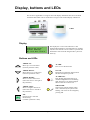
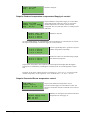
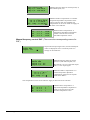
Regulator vent. sys
2008-11-20 13:30
System: Running
Sp: 18.0 Act: 18.2°C
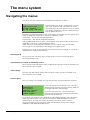
The start display, the display normally shown, is at the
basic level of the menu tree. The appearance of the
start display may vary since there are 5 types to choose
from during configuration. The text in the first row can
also be changed via E tool.
Sp and Av are Setpoint and Actual value for the supply air controller. This also applies when
using cascaded room temperature or extract air temperature control.
Actual value = The current measured temperature.
Setpoint value = The desired configured temperature.
Pressing ARROW DOWN will move you through the menu choices at this, the lowest level.
ARROW UP will move you back through the choices.
Which menus are shown depends on which access level you are using (see the section
Access rights for more information about logging on to higher levels).
The basic access level, the level normally active when you have not logged on, only shows a
limited number of menus and submenus:
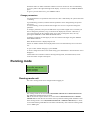
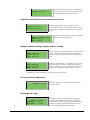
Running mode
Here, you can view and set the unit’s running mode, as well as view selected control
functions and alarm events.
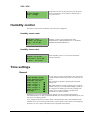
Temperature, Air control and Humidity control
Here, relevant values and setpoint values are displayed. Setpoints can only be changed if you
have Operator access or higher.
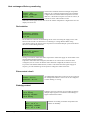
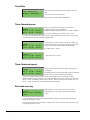
Time settings
Here, the time, date and set running times are shown. Values can only be changed if you
have Operator access or higher.
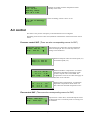
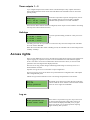
Access rights
Here, you can log on to a higher level, log off to the basic level and change the password.
Running mode
Temperature
Air control
Humidity control
Time settings
Access rights
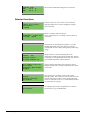
A user with Normal access, the basic level, can view a
limited selection of menus. The unit’s running mode can
be changed and alarms acknowledged.
If you have Operator access, you can access more
information and change other operation parameters like
setpoints and time functions.
To get to the next menu level, use ARROW UP and ARROW DOWN to place the display
marker opposite the menu you wish to access and press ARROW RIGHT. If you have
sufficient log on privileges the display will change to the menu you have chosen.
At each level there may be several new menus through which you may move using the
ARROW UP and ARROW DOWN buttons.
6
Corrigo E Ventilation User Guide, revision C