1
ShadowControl CMD User Guide
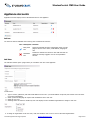
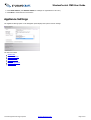
4.1 Status Rules Details
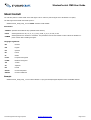
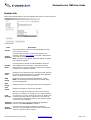
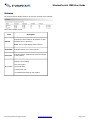
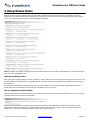
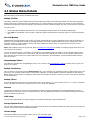
Each CMD status rule has specific thresholds and scope:
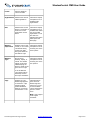
Backup File Size
This alert provides notice that a ShadowProtect backup image file exceeded a user-defined threshold. This alert might safeguard
against running out of storage space on the backup drive or it might indicate an unusual amount of activity on the source device
that warrants investigation. This alert displays (until cleared) even when subsequent backup files may not exceed the set threshold.
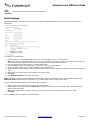
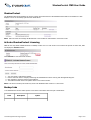
To clear an alert:
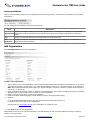
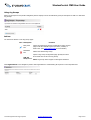
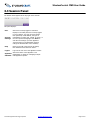
1. Locate the EndPoint's Backup File Size alert in the Outstanding Conditions section of the EndPoint Details page.
2. Click Clear to immediately remove the alert. (CMD also supports scheduling this clearing at a later time using the dropdown
box.)
Non-VSS Backup
ShadowProtect leverages Windows VSS support to provide optimal backups for server applications such as SQL or Exchange. If a
problem occurs with VSS (such as with an unreliable third-party VSS writer), ShadowProtect may resort to performing a "crashconsistent" backup. A "crash-consistent" backup may require additional recovery effort, so by default CMD will issue an alert
whenever a non-VSS backup occurs.
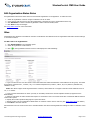
Note: Some EndPoints may not support VSS. Refer to Installing the CMD Agent for details on avoiding multiple alerts due to nonVSS support on an EndPoint.
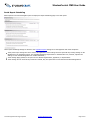
The non-VSS backup counter is cumulative, not consecutive. If the affected system has a status rule for non-VSS backups with a
value of "2", then if it suffers one non-VSS backup, then a successful VSS backup, then another non-VSS backup, CMD issues an
alert. CMD also issues an alert if the system suffers from two consecutive non-VSS backups. (Use the EndPoint Details screen to
clear this counter.)
ImageManager Status
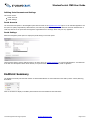
This CMD alert activates when ImageManager issues an error. Refer to the ImageManager console for details on the type of error
and how to resolve it.
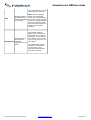
Backup Consistency
This rule works in conjunction with the Backup Failure rule. This consistency rule generates an alert if a backup failure occurs not
just once, but on multiple occasions within a set number of backups. In essence, Backup Consistency escalates the alert that the
Backup Failure rule generates by notifying the administrator that a pattern of failures is occuring (in other words, when the failures
are not consecutive).
Backup Failure
This rule generates an alert if there is a single backup failure (if the setting is "1"). If the number is set to "2" or more, it generates
an alert only after the set number of failures occur in a row, rather than separately.
Services
The Services rule applies to various monitored Windows services, including the ShadowProtect and ImageManager services. If
Windows logs an issue with any of the monitored services, CMD will display a Services alert. View details of the particular Services
alert in the Windows System Log.
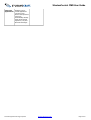
RAM Usage
This rule alerts administrators to possible backup issues should the EndPoint exhaust available RAM.
Storage System Errors
This rule alerts administrators to storage or file system events as shown in the Windows System log. CMD issues an alert when the
number of such events exceeds the defined threshold.
Volume Usage
Alerts administrators that a protected volume may run out of available space.
© 2013 StorageCraft Technology Corporation
StorageCraft Support Center
Page 57 of 67