1
24 | Vehicle Heaters – Technical Documentation
3 O perat io n and setting /adj ustmen t
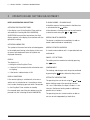
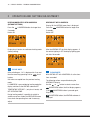
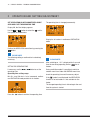
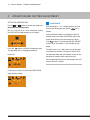
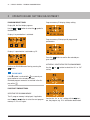
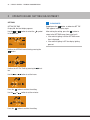
Selecting the operating mode
Use the
bol or the
or
button to deselect the
symbol.
sym-
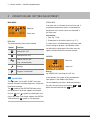
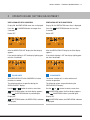
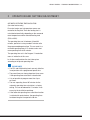
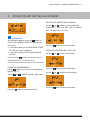
Select ECO heating level or HIGH heating level using
the
or
button.
2
2
ECO
2
2
HIGH
Press the
button to confirm the heating level.
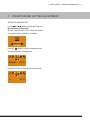
Confirm the Heating or Ventilation function by
pressing the
button.
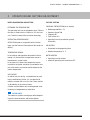
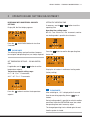
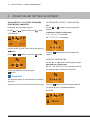
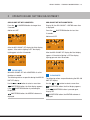
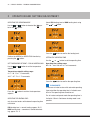
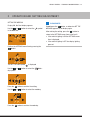
Setting the operating time
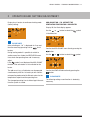
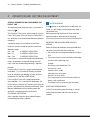
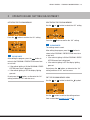
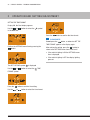
Set temperature setpoint – for air heaters only
Use the
or
button to set the operating time.
Operating time setting range:
Min. 10 – max. 120 min. in 1 min increments.
Use the
setpoint.
or
button to set the temperature
Temperature setpoint setting range:
8 °C – 36 °C in 1 °C increments,
46 °F – 97 °F in 1 °F increments.
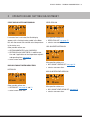
2
Press the
21 °C
Press the
setpoint.
2
60 min
button to confirm the temperature
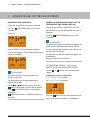
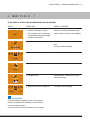
Selecting the heating level
only for water heaters with automatic operating time
calculation
ECO heating level = normal heating, approx. 20 °C.
HIGH heating level = convenient / comfortable heating, approx. 23 °C.
button to confirm the operating time.
Please note!
In the case of water heaters with automatic operating
time calculation the operating time is limited to max.
65 min. The operating time cannot be set.
For air heaters and preset mode the operating time is
limited to 120 min. Continuous heating mode is not
possible.