1
Detector Definition and Response
G4double GetMass(G4bool forced=false)
The mass of the logical volume tree is computed from the estimated geometrical volume of each solid and material
associated with the logical volume and its daughters. Note that this computation may require a considerable amount
of time, depending on the complexity of the geometry tree. The returned value is cached by default and can be
used for successive calls, unless recomputation is forced by providing true for the boolean argument forced
in input. Computation should be forced if the geometry setup has changed after the previous call.
Finally, the Logical Volume manages the information relative to the Envelopes hierarchy required for fast Monte
Carlo parameterisations (Section 5.2.6).
4.1.3.1. Sub-detector Regions
In complex geometry setups, such as those found in large detectors in particle physics experiments, it is useful to
think of specific Logical Volumes as representing parts (sub-detectors) of the entire detector setup which perform
specific functions. In such setups, the processing speed of a real simulation can be increased by assigning specific
production cuts to each of these detector parts. This allows a more detailed simulation to occur only in those
regions where it is required.
The concept of detector Region was introduced to address this need. Once the final geometry setup of the detector
has been defined, a region can be specified by constructing it with:
G4Region( const G4String&
rName )
where:
rName
String identifier for the detector region
A G4Region must then be assigned to a logical volume, in order to make it a Root Logical Volume:
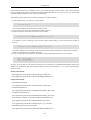
G4Region* emCalorimeter = new G4Region("EM-Calorimeter");
emCalorimeter->AddRootLogicalVolume(emCalorimeter);
A root logical volume is the first volume at the top of the hierarchy to which a given region is assigned. Once the
region is assigned to the root logical volume, the information is automatically propagated to the volume tree, so
that each daughter volume shares the same region. Propagation on a tree branch will be interrupted if an already
existing root logical volume is encountered.
A specific Production Cut can be assigned to the region, by defining and assigning to it a G4ProductionCut
object
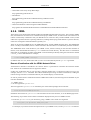
emCalorimeter->SetProductionCuts(emCalCuts);
Section 5.4.2 describes how to define a production cut. The same region can be assigned to more than one root
logical volume, and root logical volumes can be removed from an existing region. A logical volume can have only
one region assigned to it. Regions will be automatically registered in a store which will take care of destroying
them at the end of the job. A default region with a default production cut is automatically created and assigned
to the world volume.
4.1.4. Physical Volumes
Physical volumes represent the spatial positioning of the volumes describing the detector elements. Several techniques can be used. They range from the simple placement of a single copy to the repeated positioning using either
a simple linear formula or a user specified function.
The simple placement involves the definition of a transformation matrix for the volume to be positioned. Repeated
positioning is defined using the number of times a volume should be replicated at a given distance along a given
77