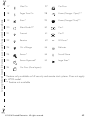
1
s
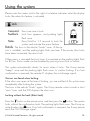
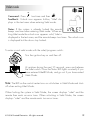
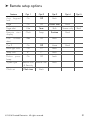
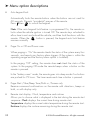
Low Runtime Alert
The remote reports with one short beep followed by 1 short error tone
REPEATEDTWICEANDTHETEXTAREADISPLAYSRUNTIMEWHENTHEREMOTESTART
runtime is at the 3-minutes remaining. The remote beeps one more time
when 1 minute is remaining. You have the option to let the remote start time
OUTORUSETHEhRUNTIMERESETvFEATURE7HENPROGRAMMEDh/FFvYOUWILL
not receive a low runtime alert on the remote.
s
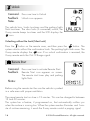
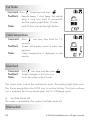
#AR/NOR/FF(OME
Turns Off or On, the 2 car operation from the remote. The "Home" option
is not available.
s
"ACKLIGHT#OLOR/FF
Turn Off the LCD backlighting or change the color of the backlighting.
Color options include: Blue, green, red, aqua, purple, lime, clear
s
Temperature Units F and C
Display temperature in Fahrenheit or Celsius
s
Button Press Beep On or Off
Turn Off beeps when a button on the remote is pressed
s
System Type Remote Start & Security or Remote Start
Select the type of system you are using, security system with remote start
or a keyless entry system with remote start (to ensure that the correct icons
are displayed on the LCD)
s
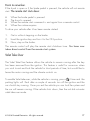
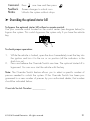
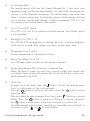
Clock Set
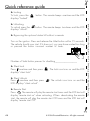
To enter clock set mode, Press the BUTTON 4HE ,# TEXT DISPLAY READS
"hour" to confirm entry in the clock set menu.
Press the
button to move up the menu, press the
button to move
down the menu.
!FTERYOUSELECTTHETIMEINCREMENTHOURMINPRESS . The hour or minute
flashes. Press the
button to move up to the hour or minute, and press
the
button to move down to the hour or minute you want to set.
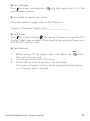
Once the desired time has been reached you can either choose "back" in
the menu or press
or
TOSAVEANDEXIT
AUX
AUX
© 2008 Directed Electronics. All rights reserved.
33