1
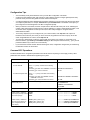
Configuration Tips
•
You immediately modify device behavior when you enter BCC configuration commands.
•
Configure physical interfaces first, add protocols to each interface, and then configure global (device-wide)
protocols. Some protocols have global as well as interface-level objects.
•
A configured object has a BCC identifier that uses slash characters to join the name of the object to the values
of its required parameters, for example, ethernet/2/1 or ip/1.2.3.4/255.0.0.0. The identifier of the object you
just configured or accessed appears in the BCC configuration prompt.
•
When you add IP to an interface, the BCC accepts either a decimal mask value (such as 24, indicating the
number of bits reserved for the network portion of the IP address) or a value in dotted-decimal notation, such
as 255.255.255.0. Regardless of mask input format, the BCC always displays a configured mask in
dotted-decimal notation.
•
To see every object that you can configure from your current location, enter help tree. The output is in
hierarchical or tree format. (The closer you are to root level, the greater the amount of output.) To see the
entire configurable tree for a device, enter help tree -all
•
To access any object already configured, type the path to that object. For example, to access RIP on an
Ethernet interface, type eth 2/1;ip 1.2.3.4/255.0.0.0;rip (the BCC interprets each semicolon [ ; ] as if you had
pressed the Return key to start a new command line).
•
If you exit and then reenter the BCC without rebooting the router, configuration changes that you made during
the last BCC session are still in effect.
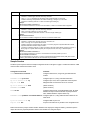
Common BCC Operations
The BCC indicates when configuration parameters have values that are required (you must supply a value). Other
parameters have derived or default values supplied by the system.
Task
BCC Command Syntax
Examples
At the box# prompt, use either of the following
formats:
<interface_type> slot <slot> connector <connector>
<interface_type> <slot>/<connector>
ethernet slot 3 connector 1
eth 3/1
Configure a physical interface.
•
•
For AN, ARN, BN:
For ASN and System 5000:
At the stack# prompt, use either of the following
formats:
<interface_type> slot <slot> module <module>
connector <connector>
<interface_type> <slot>/<module>/<connector>
ethernet slot 1 module 1 connector 2
eth 1/1/2
Configure a global or
interface-level protocol:
<protocol> <required_parameter> <value> ...
ip address 1.2.3.4 mask 255.0.0.0
ip 1.2.3.4/255.0.0.0
ip address 1.2.3.4 mask 24
ip 1.2.3.4/24
Modify parameter values.
<parameter> <new_value> ...
cache-size 64
ca 64
disable
Disable, enable, or delete the
current object (the object named enable
delete
in the current prompt).
Disable, enable, or delete this
child of the current object (an
object configured below the
current object).
2
disable [<BCC_instance_id>]
enable [<BCC_instance_id>]
delete [<BCC_instance_id>]
ip/1.2.3.4/255.0.0.0# disable
ip/1.2.3.4/255.0.0.0# enable
ip/1.2.3.4/255.0.0.0# delete
fddi/1/1# disable ip/1.2.3.4/255.0.0.0
fddi/1/1# enable ip/1.2.3.4/255.0.0.0
fddi/1/1# delete ip/1.2.3.4/255.0.0.0
Part Number 305418-B Rev 00