1
14
Part I: Introducing Dashcode and How You Can Use It
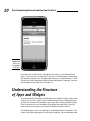
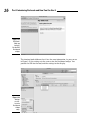
Figure 1-2:
Build the
template
for mobile
Safari.
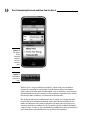
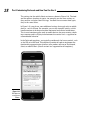
If you click one of the pop-up menus in the simulator or tap one of them
on your iPhone, the typical iPhone interface element, shown in Figure 1-4,
appears. You don’t have to do anything special.
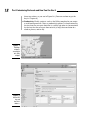
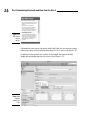
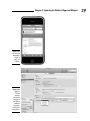
Figure 1-5 shows a Dashboard widget built from the Countdown template. It
provides a countdown (or countup) clock.
This example shows a project template that may need some customization to
work. You can see how far Dashcode is from the complicated programming
techniques of old.
The template can count down from a specific date and time to zero; alternatively, it can count up from that given date and time. In version 3.0 of
Dashcode, the specific date is 4/1/2010, and the time is 4 a.m. The default is
to count down to zero, and so the clock won’t run because that date is in the
past. To make it work, you can either change the date to a date and time in the
future, or you can use the option to count up from the specific date and time.