1
CD-DK890N
MP3/WMA navigation (only for MP3/WMA files) (continued)
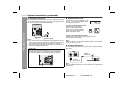
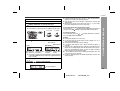
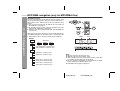
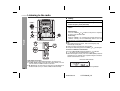
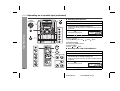
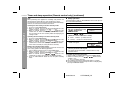
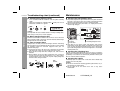
Character search (for folder or title 1/2/3)
CD or MP3/WMA disc Playback
By entering a name, you can search files by folder or title 1/2/3 within
one MP3/WMA disc.
1
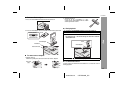
Perform steps 1 - 3 in “File search (by folder or title 1/2/3)”
on page 27.
2
3
Press the NAVIGATION button.
4
Press the , ,
or
cursor
button on the remote control to
select “FOL”, “T-1”, “T-2” or “T-3”.
To search files by folder name,
select “FOL” (will flash).
Folder
Title 1
Title 2 Title 3
6
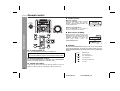
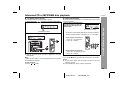
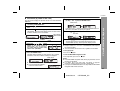
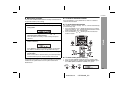
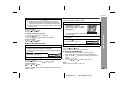
When finished, press the ENTER button. The unit searches
for the same name within folders (or titles).
If the search word is not in the folder (or title) name, “NOT
FOUND” appears and the menu returns.
9
10
Press the
alphabet.
Press the
display.
or
or
cursor button to select the desired
button to go to the next page of character
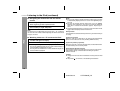
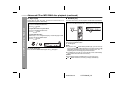
Press the CHARACTER button and the active character will
be entered in the 2nd row of the display.
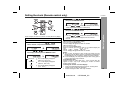
Use the or
(or title).
cursor button to scroll and select a folder
Press the
button to start playback.
/
All files in the selected folder (or title) are played, and the
previous display returns.
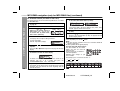
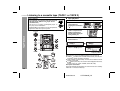
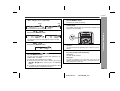
Press the CHARACTER button for 2 seconds.
The display will be ready for editing characters.
1st row: String table
2nd row: Input editor (8 digits)
5
8
To exit the MP3/WMA navigation mode:
In the stop mode, press the CD button.
Notes:
The unit searches regardless of the case, and names found will
appear in uppercase.
Some symbols do not appear properly.
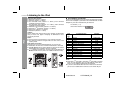
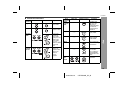
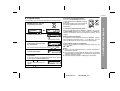
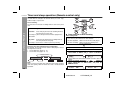
Character entry with direct buttons:
The direct buttons on the remote
control can also be used for
character entry.
In step 5 on the left, use buttons 0 9 to enter alphabets.
Alphabet types change as you
press a button.
For example, press “2” four times to enter “C”.
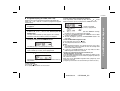
To delete an entered character, move the cursor to the
character with the
or
button and press the
CLEAR/DIMMER button on the remote control.
7
28
2
A
B
C
Characters:
Repeat steps 5 and 6 to enter characters.
In the folder (or title) name search, you do not have to enter the
full name. The unit searches for names beginning with the
entered characters.
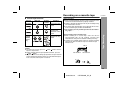
1
2 ABC
3 DEF
4 GHI
5 JKL 6 MNO 7 PQRS 8 TUV 9 WXYZ
: Indicates a space.
2008/June/16
CD-DK890N_US
0