1
Turning Your Phone On and Off
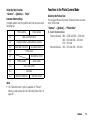
To turn the power on, long press F for approximately 2
seconds.
To Enter the PIN Code
If activated you are asked to enter a PIN (Personal Identification
Number) code and handset lock code after turning on your
phone.
1. Enter your PIN code.
The PIN code is 4 to 8 digits.
2. Press
.
Note
• If your PIN code is entered incorrectly three times in a row,
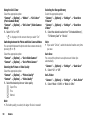
the SIM/USIM card is locked. See “Enabling/Disabling the
PIN Code” on page 109.
• If the clock settings have not been entered, the date and time
entry screen is displayed (p. 102).
16
Getting Started
To Copy All Phonebook Entries from the SIM/USIM Card
When you insert the SIM/USIM card into your phone for the first
time and start the Phonebook application, you are asked
whether you wish to copy Phonebook entries on the SIM/USIM
card. Follow the on-screen instructions, or you can do it later
using the Phonebook menu as follows:
“Call Manager” → “Advanced” → “Copy All Entries”
1. Select “From SIM to Handset”.
Keypad Lock
You can lock the keypad to prevent it from being pressed
accidentally.
Locking the Keypad
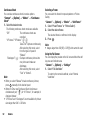
1. Long press P in standby.
To unlock, long press P.
Tip
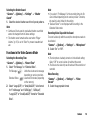
• Emergency numbers (999, etc.) can be entered and dialled
regardless of the keypad lock.